Understanding Aim Assist in Overwatch: Key Settings for Players
As Overwatch prepares for Season 20, players are encouraged to explore aim assist settings to enhance their gameplay experience. Here’s a breakdown of how aim assist works and what adjustments can be made.
At a glance
- Aim Assist Window Size
- Default will change to 60% in Season 20.
- Aim Assist Ease In
- Now features three sliders for different hero types.
- Aim Smoothing
- Helps with tracking targets but may introduce delays.
How Aim Assist Works
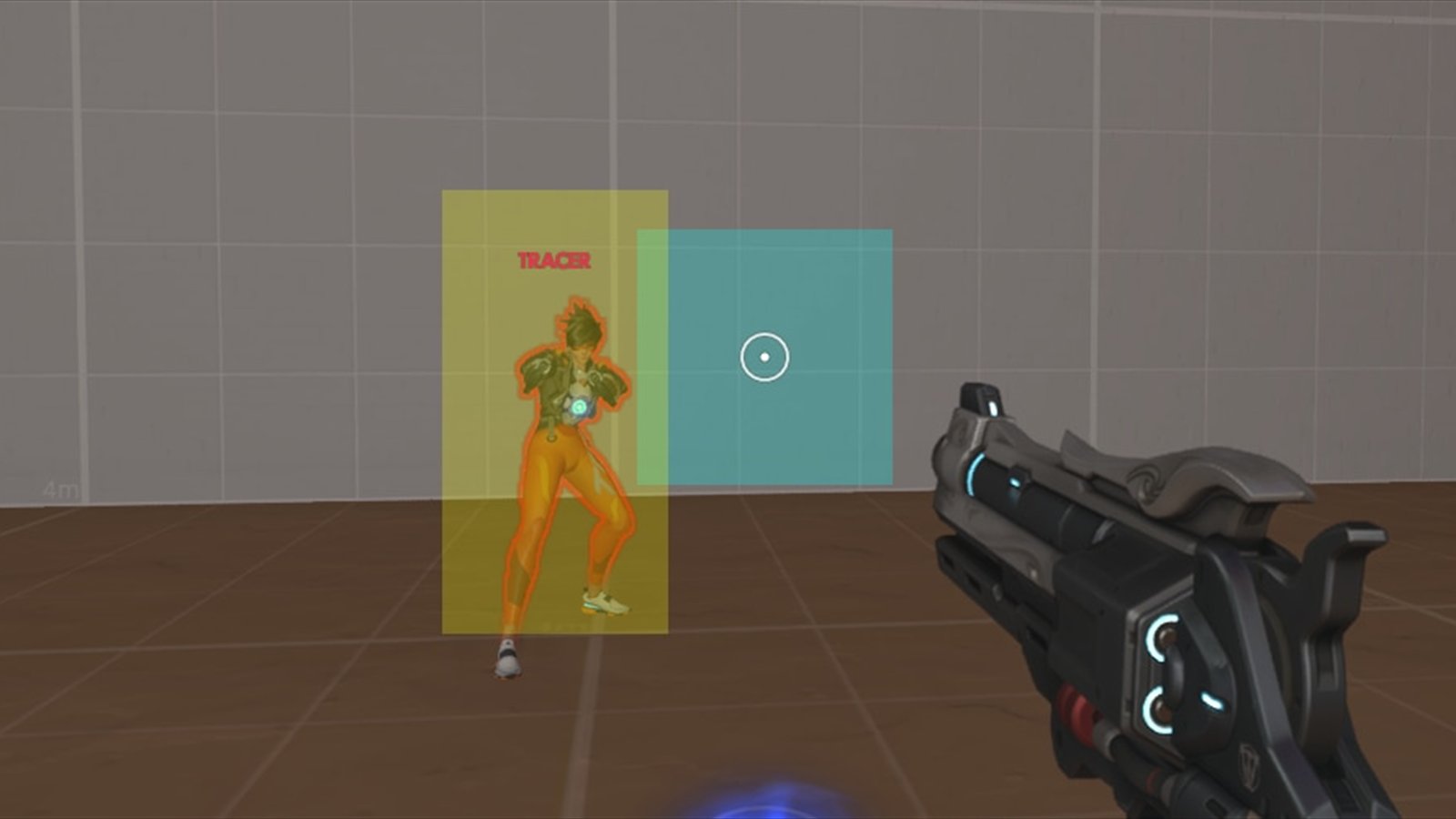
Aim assist in Overwatch is designed to help players, particularly those using controllers, by providing a 'bubble' around targets that makes aiming easier. Each hero has a designated aim assist window that interacts with the player's aim. This window can be adjusted to enhance the player's experience, especially for those looking to improve their competitive play.
Adjustable Settings for Enhanced Gameplay
In Season 20, players will find several settings under the 'Advanced' menu in controller options that can be tailored to individual play styles. The 'Aim Assist Strength' setting allows players to modify how much the game assists in aiming, while the 'Aim Assist Window Size' determines the size of the target window, affecting the level of assistance provided. Notably, the default size will shift to 60% in the upcoming season.
New Features Coming in Season 20
One of the most significant changes is the introduction of separate sliders for 'Aim Assist Ease In' based on hero types: Projectile, Hitscan, and Melee. This allows players to customize their aim assist settings further, catering to the unique needs of different heroes. Additionally, 'Aim Smoothing' will help players manage their controller input more effectively, although it may introduce some delay when targeting closer enemies.